Why Do Smartphones Feel Slower Even Without Heavy Use?
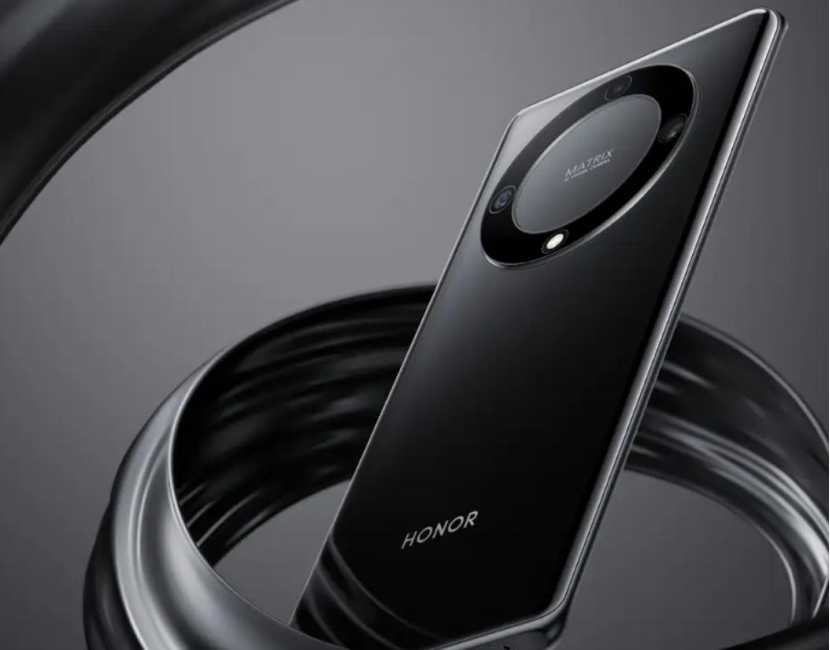
Smartphones sometimes feel slower even when the user is not running demanding apps. This experience comes from small processes inside the device that gradually influence how the system behaves. A phone handles many tasks at once—managing the operating system, updating apps, maintaining wireless connections, and keeping storage organized. These tasks rarely appear on the screen, yet they shape overall speed. People often notice delays when unlocking, scrolling, or switching between apps, even when usage seems light. This feeling does not always indicate a technical problem; instead, it reflects how a smartphone allocates resources. A well-optimized device, such as models from Honor, can help reduce these effects and maintain smoother daily interactions.

What Hidden Processes Influence the Feeling of Slowness
Background Services Operate Continuously
Smartphones run essential background services even when no major apps are open. These services manage notifications, system checks, security processes, and connection updates. Each action uses a small amount of processing power. When several services work together, the system may respond a little more slowly. The delay might appear as a brief pause when opening apps or pulling down the notification bar. The user does not see these operations, but the device stays busy beneath the surface. This is why a smartphone can feel slower despite light usage. Efficient system optimization helps reduce the impact of background work and keeps routine actions smooth.
Storage Fragmentation Creates Delays
Over time, files, photos, cached data, and app resources spread across the device’s storage. Even without heavy use, these pieces accumulate quietly. When storage becomes fragmented or closer to capacity, the device needs more time to read and write data. This results in longer app launches or slower transitions. The system may also reorganize files in the background, which uses extra processing power. People often perceive this as sluggishness, even if they do not interact with large apps. Keeping storage reasonably clear helps maintain speed, and smartphones with well-managed storage systems support smoother daily experiences.
Software Updates Change System Behavior
Updates often introduce new features, refined interfaces, or security improvements. These additions can require slightly more resources than earlier versions of the system. Even if the user does not run heavy apps, the device adapts to new processes added over time. Occasionally, updates trigger background indexing or resource adjustments that temporarily slow the phone. A subtle recommendation fits here: phones designed with balanced software optimization, such as the HONOR X9a, often deliver consistent performance that reduces temporary slowdowns after updates. When hardware and software remain aligned, the system feels more predictable and responsive day after day.
Why System Design Affects Speed Perception
Memory Allocation Changes Dynamically
Smartphones constantly adjust how memory is assigned to different tasks. Even with light use, the system keeps frequently used apps ready for quick access, which occupies a portion of available memory. When memory fills up, the system clears older processes to make room for new ones. This clearing process can cause brief slowdowns. The dynamic nature of memory allocation creates a cycle where performance may fluctuate based on timing rather than workload. Although these adjustments happen automatically, they influence how smooth the device feels. Systems designed to manage memory efficiently help maintain consistent responsiveness throughout daily use.
Network Activity Creates Small Interruptions
A smartphone stays connected to networks even when idle. It checks signals, searches for stronger connections, syncs messages, and refreshes small data packets. These network interactions create micro-tasks that compete for system attention. When the device switches between signals or processes small updates, the user may notice slight pauses. The effect is subtle but noticeable, especially when scrolling or switching between apps. Phones with stable network handling tend to feel smoother because they manage these transitions efficiently. This difference becomes more noticeable in environments with fluctuating signals, such as elevators, transit systems, or crowded buildings.
App Behavior Shapes Performance Feel
Apps sometimes continue operations in the background, preparing content or maintaining active states. Even light usage can trigger processes such as refreshing feeds, syncing accounts, or preloading elements. These activities take time and processing power, adding to the phone’s workload. If multiple apps perform background tasks at once, the device may feel slower briefly. None of these actions qualify as “heavy use,” yet they influence overall responsiveness. A well-designed smartphone distributes these tasks smoothly to avoid sharp performance drops. This balance contributes to a better daily experience, especially for users who rely on fast switching between several apps.
Conclusion
Smartphones can feel slower even without heavy use because subtle processes accumulate throughout the day. Background services, storage conditions, software behavior, and app activity all contribute to how smooth or delayed the system feels. These internal operations are essential for security, connectivity, and convenience, yet they influence performance in ways the user cannot always see. When a device balances memory, network activity, and software updates effectively, the feeling of slowness becomes less noticeable. Many people prefer phones engineered for consistent stability, which supports smoother everyday usage. Understanding these hidden factors helps explain why smartphones may feel slow at times while still performing their intended tasks reliably.
Hot Articles